Logic board MacBook Pro 16" M3 Max Real workshop case 6 min read Preferred source in Google

Tried to fix a line on the screen: now the logic board needs work too

A 16" MacBook Pro with M3 Max and 64 GB had a line on the display. The owner tried to fix it themselves. They opened the laptop, handled the display connector and damaged it. Now, besides the display, it also needs a logic board repair and a fix for the backlight connector. Three repairs instead of one.

Alex Neacșu: Founder, Radical Service
Founder, Radical Service
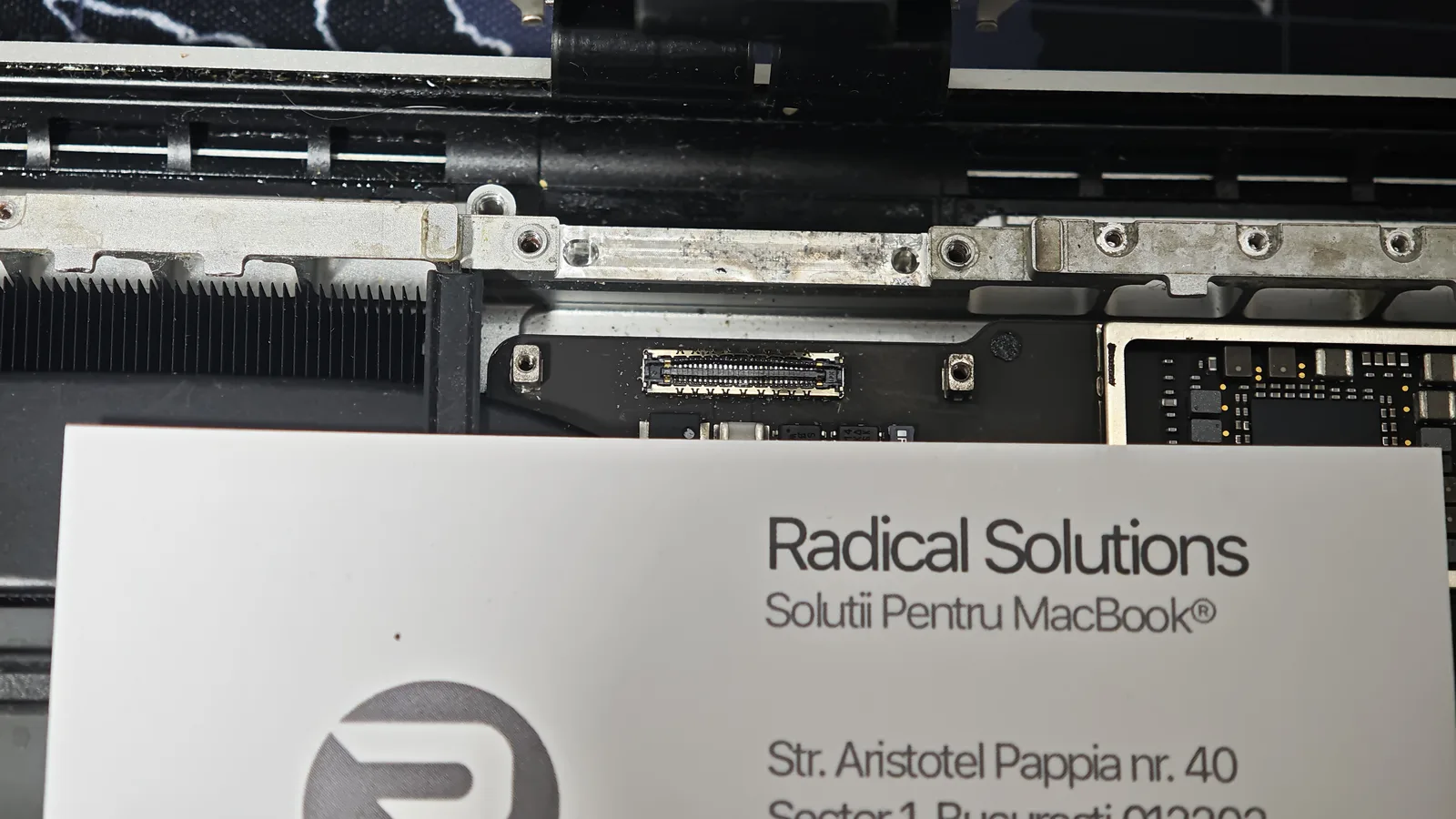
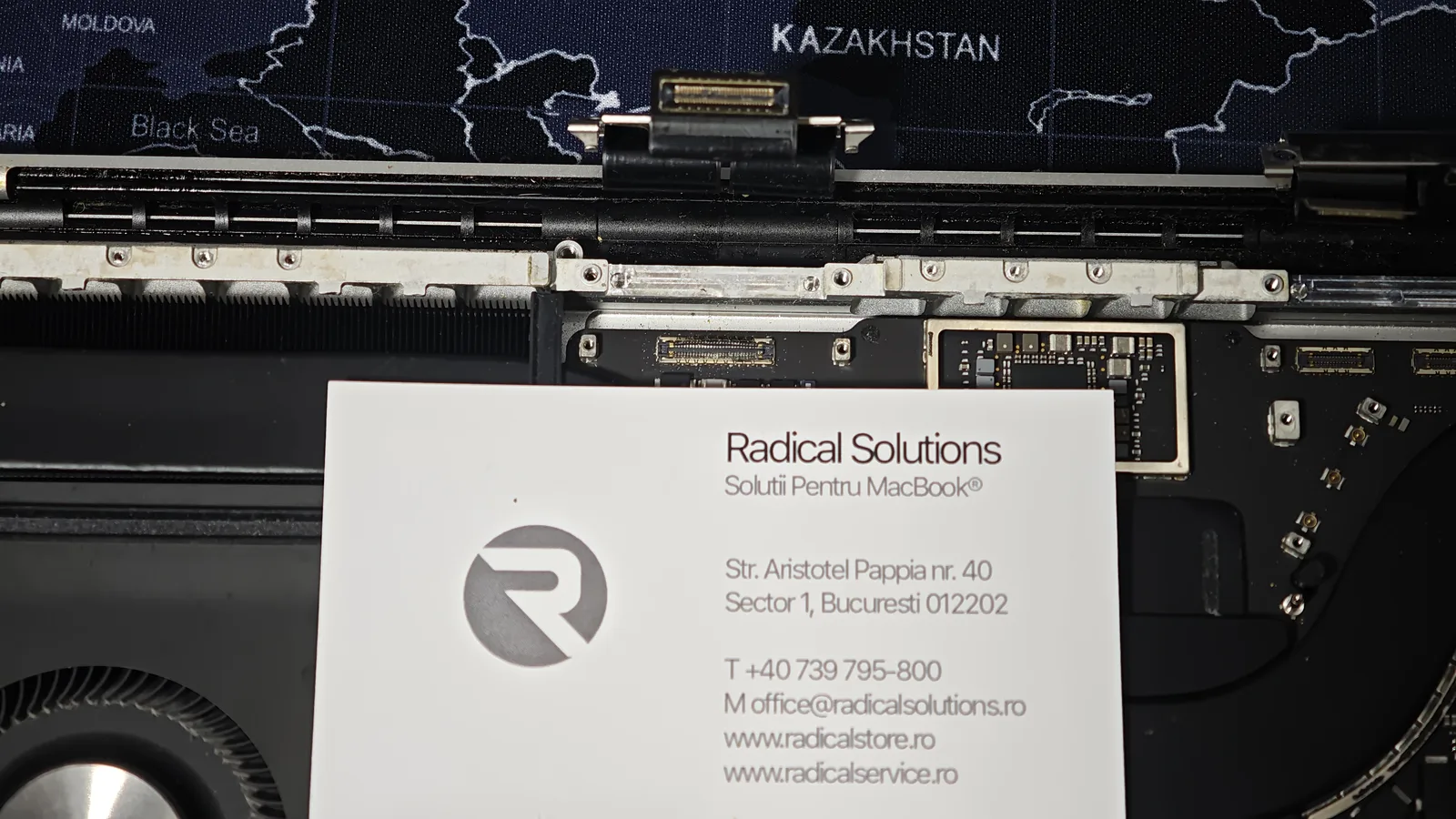
MacBook Pro 16 M3 Max opened in our workshop MacBook Pro 16 M3 Max opened in the workshop: hinge area and the display connector on the logic board
MacBook Pro 16" M3 Max in our workshop: the hinge area, with the display connector on the logic board.

M3 Max

MacBook Pro 16", 64 GB

1 problem

at first: a line on the display

3 repairs

after the home attempt

Microscope

where the real damage shows

How it started: a line on the screen

It all started with a line on the display. Annoying, but a clear problem: diagnostics, a new display, done. Except the owner chose to try it themselves first. They opened the laptop and handled the display connector, probably thinking that unplugging and replugging it would make the line go away.

It didn’t. Instead, the connector on the logic board was damaged, and the display backlight connector was affected too. By the time the laptop reached us, the repair list had grown from one item to three.

What we found under the microscope

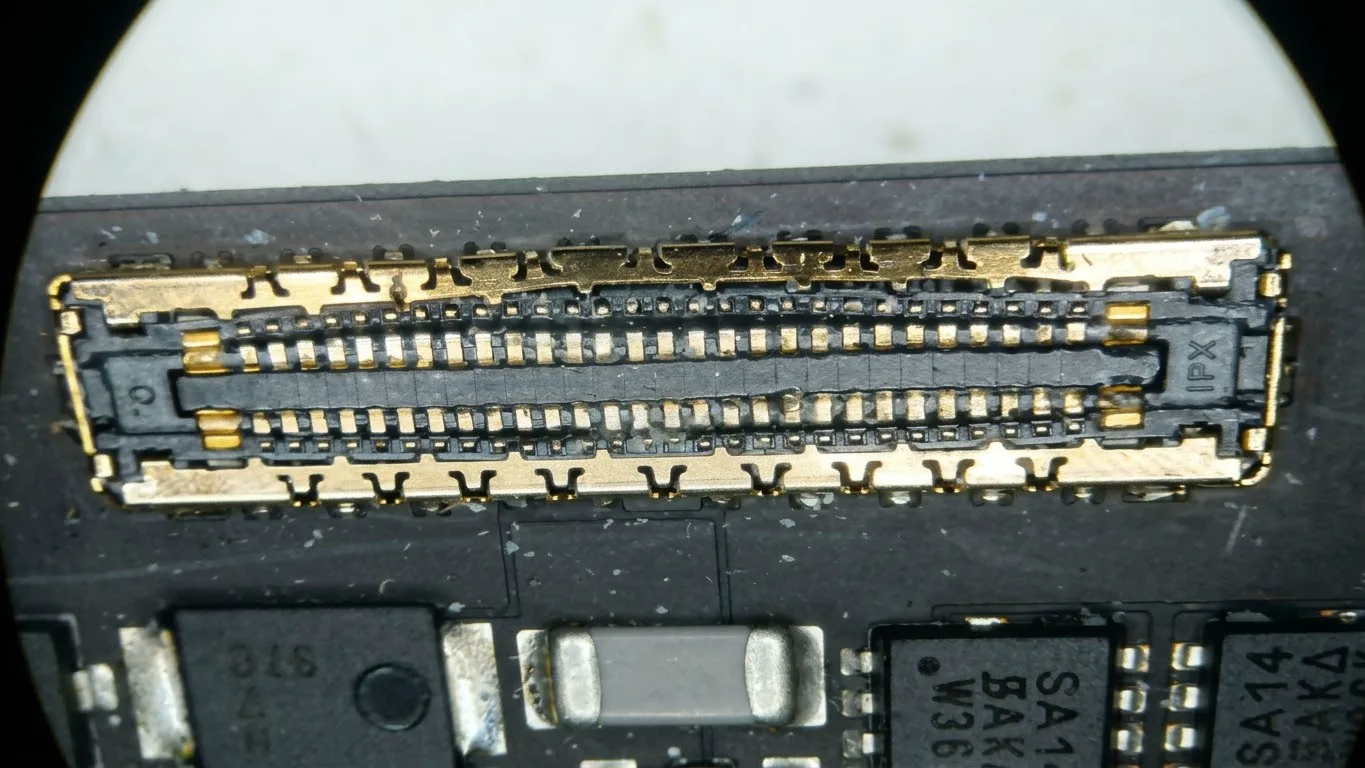
To the naked eye, the connector just looks „a bit bent”. Under the microscope you see the real problem: deformed and damaged pins in the middle of the connector, where it was forced. The pins sit a few tenths of a millimetre apart, so any wrong pressure bends them or makes them touch.
Logic board connector under the microscope MacBook Pro 16 M3 Max logic board display connector under the microscope: deformed pins in the middle
The logic board connector under the microscope: the middle pins are deformed.
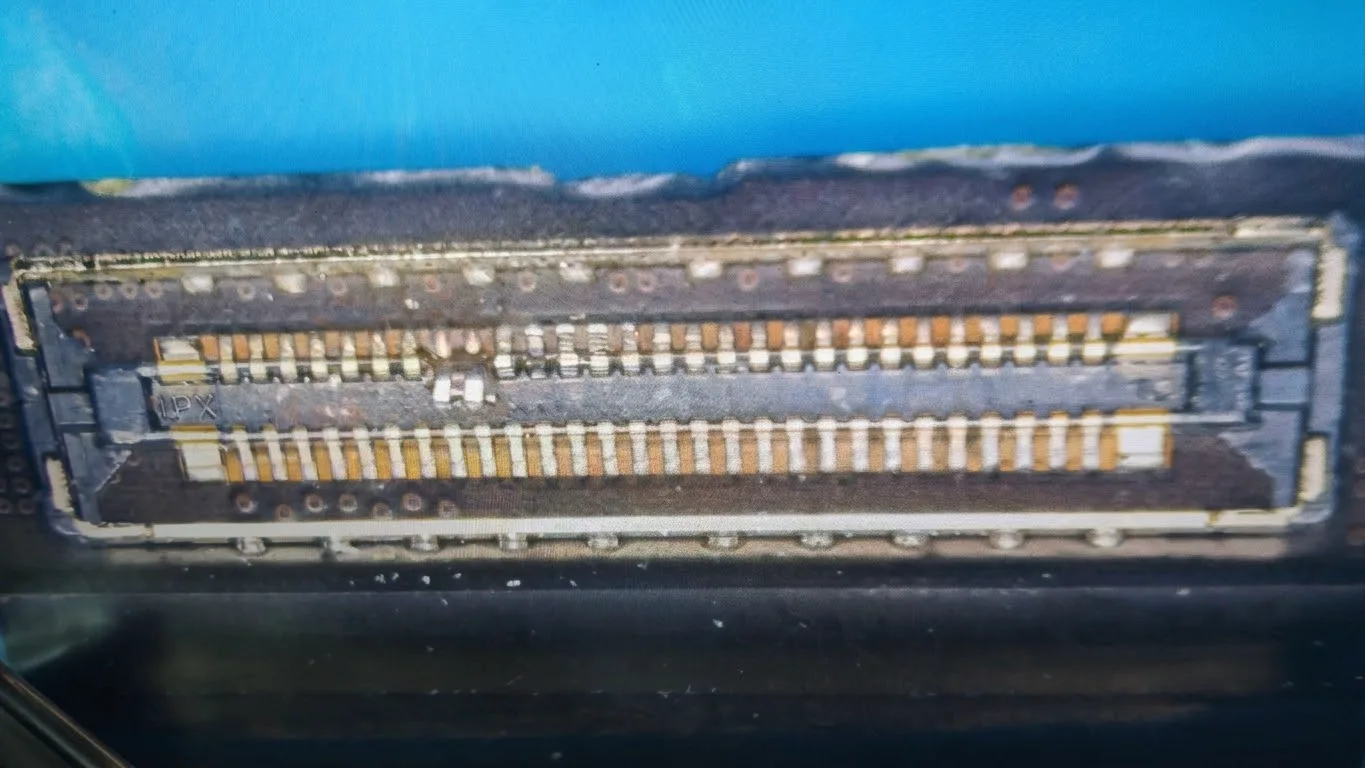
Backlight connector MacBook Pro 16 display backlight connector with damaged pins
The display backlight connector, damaged as well.
Connector area on the logic board Display connector area on the MacBook Pro 16 M3 Max logic board, with marks from the previous attempt
The connector area on the logic board, with marks from the home attempt.

What needs repairing now

1. The display

The original problem, the line, is still there. The display has to be replaced anyway.

2. The logic board

The display connector on the board has to be removed and replaced, and the surrounding area checked under the microscope.

3. The backlight connector

The connector that powers the display backlight was damaged and needs repairing.

In short: a display repair became a display, logic board and connector repair. More time, more parts and, inevitably, a higher cost than if the laptop had come straight to us.

Why this isn’t a repair to do at home

We understand the temptation. There are tutorials for everything online, and an expensive laptop makes you look for the cheapest option. But on an Apple Silicon MacBook Pro, a few things make the difference between a repair and damage:

Very fine connectors

The pins sit a few tenths of a millimetre apart. They’re unplugged and plugged straight, with the right tools, never at an angle or with force.

The battery goes first

If you handle the display connectors with the battery connected, you risk a short circuit on the display and backlight circuits.

The cause isn’t always where it seems

A line can come from the panel, the cable or the board. Without diagnostics, you „repair” at random and can break what was working.

Got a line on your display or another screen problem?

Don’t open the laptop. Bring it in for diagnostics: we’ll tell you exactly what’s faulty and what it costs, before any work. It’s the cheapest option, even when a home attempt seems to cost nothing.

Find Radical Service faster in Google

Set us as a preferred source: our repair guides and answers get a “preferred” badge in your Google results and AI overviews.

Add as preferred source
5.0 / 5

What our customers say

1190+ verified Google reviews

"

Am vărsat accidental cafea cu lapte pe câteva taste ale MacBook-ului, iar acestea și-au schimbat culoarea, deși laptopul funcționa perfect. M-am speriat și am crezut că este nevoie de o intervenție complicată și costisitoare. Am ajuns la Radical Service, unde domnul de acolo a analizat problema și a identificat rapid cauza. Soluția a fost mult mai simplă decât mă așteptam: a scos două taste, le-a curățat și le-a montat la loc. Totul s-a rezolvat foarte rapid, fără să-mi ceară niciun ban! Am apreciat enorm sinceritatea, profesionalismul și promptitudinea. Într-o perioadă în care multe service-uri par să caute intervenții cât mai costisitoare, experiența aceasta mi-a demonstrat că există și oameni care pun clientul și rezolvarea problemei pe primul loc. Recomand cu toată încrederea Radical Service

Ioan Alexandru Stan

Ioan Alexandru Stan

în ultima săptămână

"

Am apelat la acest service datorita recenziilor bune. Mi-a fost spus ca o sa mi se schimbe tastatura plus backlight in urma unui contact cu coca cola. In urma reparatiei am primit laptop-ul cu tasta de langa shift care nu se aprinde si tastatura care nu se apasa bine (tastele fac doua click-uri, si feedback-ul tastelor nu este unul bun, sunt instabile). Aceste lucruri nu mi-au fost comunicate inainte sa trimit laptop-ul. Am incercat sa contactez firma sa vina cu explicatii, si mi s-a spus ca tastatura nu mai este lipita ca cea originala si este prinsa in suruburi. Iar punctul interesant a fost ca mi s-a spus ca ei “nu vad problema” la tasta tilda care nu se aprinde din cauza backlight-ului. Si mi-au oferit varianta sa inlocuiasca topcase-ul cu totul la un pret mai mic, lucru care dupa parerea mea trebuia mentionat de la inceput. As fi putut macar incerca o curatare a tastaturii originale daca stiam. Sau macar sa isi asume problema backlight-ului. Sunt putin dezamagit de serviciile lor si mi-ar fi placut sa am o experienta mai buna de povestit.

Alex Ambrinos

Alex Ambrinos

în ultima săptămână

"

Recomand cu încredere!

Flo

Flo

în ultima săptămână

"

Inițial, pe baza fotografiilor trimise, am crezut că laptopul nu mai poate fi reparat. Însă, după înlocuirea componentelor avariate, inclusiv a ecranului, nu se mai observă nici o urmă. Service profesionist, recomand.

Cristian Popescu

Cristian Popescu

acum o săptămână

"

⭐⭐⭐⭐⭐ Oameni super profesioniști, recomand cu mare drag! Am fost la ei pentru un iPhone 11 și am rămas foarte plăcut surprins de servicii. Mi-au schimbat bateria cu una originală direct pe loc și mi-au pus și o folie de protecție, totul rapid și fără bătăi de cap. Apreciez mult corectitudinea lor — mi-au dat factură și au făcut absolut totul ca la carte. Pe lângă profesionalism, contează mult și cum ești primit: m-au întâmpinat cu o cafeluță caldă, un gest mic, dar care arată respect pentru client. Mulțumesc inteligenței artificiale că i-a găsit și echipei pentru seriozitate. Jos pălăria, chiar merită toate cele 5 stele!

Marian Cică

Marian Cică

acum 2 săptămâni

"

Am ajuns la Radical la recomandarea unui prieten. De-a lungul timpului, aici am reparat două laptopuri (unul cu whisky vărsat pe tastatură) și un ecran de iPhone. De fiecare dată rezolvarea a venit în cel mai scurt timp, mi s-au explicat clar și transparent variantele de reparație, costuri și durată. 10/10 recomand, serviciile lor sunt ireproșabile prin filtrul experienței mele.

Tudor Rus

Tudor Rus

acum o lună

Frequently asked questions

There’s a line on my MacBook display. Can I fix it myself?

We don’t recommend it. A line on the screen can come from the panel, the display cable or the logic board, and without diagnostics you don’t know which. On Apple Silicon MacBooks, the display connectors are very fine and damage easily. In the case in this article, a home repair attempt turned a display problem into a display, logic board and connector problem.

What happens if you disconnect the display without disconnecting the battery?

You risk a short circuit on the display and backlight circuits. That’s why, in a repair shop, the battery is always disconnected first, before any connector. It’s one of the steps a tutorial-guided repair often skips.

Can the display connector on the logic board be repaired?

Yes, at component level: the damaged connector is removed from the board and a new one is soldered on, and the surrounding traces are checked under the microscope. It’s precision work, because the pins sit a few tenths of a millimetre apart.

Why did the repair become more expensive after the customer’s attempt?

Because at first it was only the display. After the attempt, besides the display, the logic board connector and the display backlight connector were also damaged, so three repairs instead of one.

Will I lose my data if the logic board is repaired?

With a component-level repair, no: we only work on the affected area and storage stays untouched. As with any repair, it’s wise to have a recent backup.

Is your MacBook screen acting up?

Before you open it, let us take a look. Diagnostics cost far less than a destroyed connector.

40 Aristotel Pappia Street, Sector 1, Bucharest · Mon–Fri 08:30–17:30