
Part 1 — The 7 most reported issues
Aggregated from Apple Support Community, MacRumors Forums, r/iOS26 and Apple discussion threads over the past 9 days (since launch). Ordered by frequency and severity, not alphabetically.
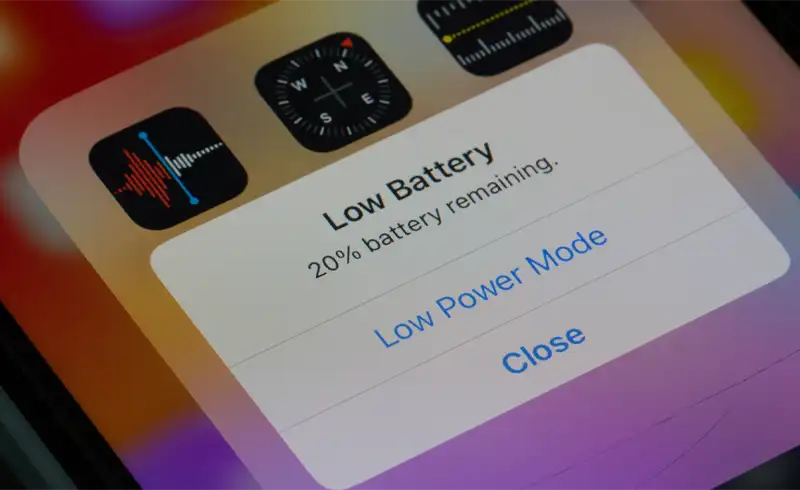
iPhone gets hot and battery drains faster
Symptom: The phone feels warm even during ordinary browsing, and battery life drops 30-50% compared to iOS 26.4. In some cases home-screen icons "re-spring" (briefly turn black) when temperature climbs.
Cause: The Liquid Glass interface puts more pressure on the GPU through real-time transparency and blur. In the first 48 hours after the update, iOS reindexes Spotlight, syncs iCloud Photos and pulls Apple Intelligence models in parallel — all CPU-heavy.
- Wait 48-72 hours after install so background processes can finish (Apple official guidance).
- Leave the phone charging overnight while locked — that lets it complete indexing without draining the battery.
- Settings → General → Background App Refresh → turn off for apps you do not use daily.
- Settings → Apple Intelligence & Siri → disable temporarily if you are not actively using it.
- If after 72 hours consumption is still abnormal, check Settings → Battery to find which app is on top.
Status: Normal in the first 48-72h. If it persists beyond a week, a battery service is often the real fix (a worn battery amplifies any extra software load).
UI lag — stuttery animations, jerky scrolling
Symptom: Scrolling in Settings, Safari or long lists feels stuttery. App transitions show micro-pauses. More pronounced on iPhone 12, 13 and iPhone SE 3rd gen.
Cause: Liquid Glass triggers heavy GPU work for transparency and blur. On A14 and A15 chips the load is felt. On A17 Pro and A18 it is rare.
- Settings → Accessibility → Motion → enable "Reduce Motion".
- Settings → Accessibility → Display & Text Size → enable "Reduce Transparency".
- These two settings cut GPU load drastically and restore smoothness while keeping all functions.
- Then do a full restart (hold side button + volume up, slide to power off, wait 30s, power on).
Status: Reduce Transparency fixes it instantly for most users. No functional side effects.
Keyboard lag and weird autocorrect suggestions
Symptom: Key presses register with visible delay. Autocorrect changes normal words into odd ones or vice versa — predictions feel "wrongly learned".
Cause: The keyboard dictionary keeps words iOS learned from your older texts. On a major update, the internal structure changes and some old entries conflict with the new version.
- Settings → General → Transfer or Reset iPhone → Reset → Reset Keyboard Dictionary.
- Confirm with your passcode. iPhone only resets the learned dictionary — your personal data is untouched.
- After reset, the keyboard relearns your words in 2-3 days of normal use.
- If you use a third-party keyboard (Gboard, SwiftKey), switch back to the Apple keyboard temporarily to compare.
Status: Reset Keyboard Dictionary fixes 90% of cases. Safe, Apple-recommended approach.
Siri does not respond or misinterprets commands
Symptom: Siri ignores voice commands, replies with "I cannot help with that right now", or misinterprets simple phrases. More visible on iPhones running Apple Intelligence.
Cause: Changes to the voice + Apple Intelligence pipeline shipped in 26.5 are not fully stable yet. On-device models need re-downloading in the background.
- Settings → Apple Intelligence & Siri → make sure "Listen for Siri" is enabled.
- If you see "Downloading Intelligence Model" under settings — let it finish (can take hours on Wi-Fi).
- Restart iPhone once the download completes.
- If still unstable, toggle "Hey Siri" off and on — it will ask you to re-record your voice profile.
Status: Apple is working on stability. Patch expected in iOS 26.5.1.
RCS messages — delayed or failed delivery to Android
Symptom: Messages to Android users show as sent but never arrive, or arrive hours later. RCS threads sometimes lose read/delivered status.
Cause: The RCS implementation in iOS 26.5 received changes incompatible with several carrier servers. Globally, multiple major carriers report issues.
- Settings → Apps → Messages → RCS Messaging → turn off "RCS Messaging" temporarily.
- Send important messages as plain SMS (long-press a message → "Send as SMS").
- Re-enable RCS after the 26.5.1 update lands.
- Alternative: use WhatsApp / Signal for critical conversations until the patch is out.
Status: Acknowledged by Apple and carriers. Fix expected in 26.5.1 or via a server-side carrier update.
Family Sharing — shared apps no longer appear
Symptom: Apps purchased through Family Sharing stop showing for other family members. Or they show but ask for repurchase when opened.
Cause: Bug in the Family Sharing catalog sync introduced alongside new security policies in 26.5.
- Settings → [Your name] → Family → tap a member → confirm "Purchase Sharing" is on.
- On the affected device: App Store → profile photo → Purchased → Family Purchases → refresh the list.
- If it still does not appear: Sign Out of Apple ID, restart, Sign In again.
Status: Sign Out + Sign In fixes most cases. Apple acknowledged the bug and is working on a patch.
Older iPhones (XR, 11, SE 2) — noticeable slowdown
Symptom: On 2018-2020 models, iOS 26.5 makes daily use visibly harder. Apps that opened in 2 seconds now take 5-7 seconds. Keyboard has half a second of delay.
Cause: Liquid Glass + Apple Intelligence are built for A17 Pro and newer. On A12 Bionic (XR) and A13 (11, SE 2), modern neural-engine acceleration is missing.
- Enable both Reduce Motion + Reduce Transparency (see issue #2 above).
- Settings → Apple Intelligence → disable completely on these models (you do not benefit anyway).
- Settings → General → Background App Refresh → set to "Wi-Fi" instead of "Wi-Fi & Cellular", or off entirely.
- If battery Maximum Capacity is under 80% (Settings → Battery → Battery Health), replacing the battery recovers 20-30% of perceived speed.
Status: iPhone XR, 11 and SE 2 are at the compatibility edge. Apple keeps security updates coming, but raw speed will not return to pre-update levels.
Part 2 — Check these before panicking
Before chasing complex solutions or bringing the phone in, 5 simple checks will tell you whether the problem is real or temporary.
Wait 48-72 hours
Apple officially confirms that the first 2-3 days after a major update bring temporary higher consumption and warmth — Spotlight is indexing, iCloud is syncing, Apple Intelligence is downloading models. Do not intervene in the first 48 hours unless you see repeated crashes.
Full restart (not sleep)
Sleep does not free RAM or restart processes. A real restart = hold side button + Volume Up until "slide to power off" appears, slide it, wait 30 seconds, then turn it back on.
Check battery health
Settings → Battery → Battery Health & Charging. If "Maximum Capacity" is under 80% or you see a "Service" message, the battery is the prime suspect for the drain. An update only amplifies an existing problem.
Check available storage
Settings → General → iPhone Storage. Under 5 GB free = iOS works much harder for cache and swap. Delete unused apps or move photos to iCloud / a computer.
Check which app consumes
Settings → Battery → scroll to "Last 24 Hours" and "Last 10 Days". If one app accounts for 40%+ of consumption and you do not use it constantly, that app is the cause — not iOS.
Part 3 — When it is iOS vs. when it is hardware
This is the key distinction. Many problems blamed on an update are actually symptoms of an existing hardware issue that the update made visible. Here is how to tell.
Battery Maximum Capacity under 80%
An already worn battery amplifies any extra software load. The update does not damage the battery, but it forces it to show its true age. Battery replacement fixes 90% of cases where it is the main culprit.
iPhone hot even in Airplane Mode
If you turn on Airplane Mode + close all apps and the iPhone still stays warm, the problem is no longer software. It is likely a charging circuit issue or, more rarely, something on the logic board.
Spontaneous restart or shutdown above 20% battery
Spontaneous restarts without obvious cause and shutdowns at still-high percentages (20-30%) point to a battery that can no longer deliver peak current. Visible in Settings → Battery → Battery Health → "Performance Management" turned on.
Performance drops only in one app
If WhatsApp runs fine but Instagram stutters and freezes, the problem is that app — not iOS or the hardware. Reinstall the specific app (remove from home screen → reinstall from App Store).
If your symptoms match the hardware column and you are in Bucharest, our team can test the battery and board directly — see iPhone repair in Bucharest. If you are elsewhere, any competent independent shop can run the same battery-health and power-draw checks; this guide should help you ask the right questions.
What NOT to do
The internet is full of "miracle fixes" for iOS 26.5. A few of them actively make things worse — here is what to avoid.
- DO NOT try to downgrade to iOS 26.4 — Apple closed the signing window, the install will fail validation, and you risk bricking the phone.
- DO NOT install configuration profiles "to fix iOS 26.5" from random sites — they are mostly scams or data collectors.
- DO NOT do "Erase All Content and Settings" as a first step — you lose data and the real problem rarely goes away.
- DO NOT use non-MFi charging accessories or cheap cables in the first days after the update — charging is more sensitive during re-indexing.